



Film and video production
From the first idea to the final frame.
Keep the treatment, shoot plan and review in one production workspace. Give every handover the context it needs.
Explore your workspace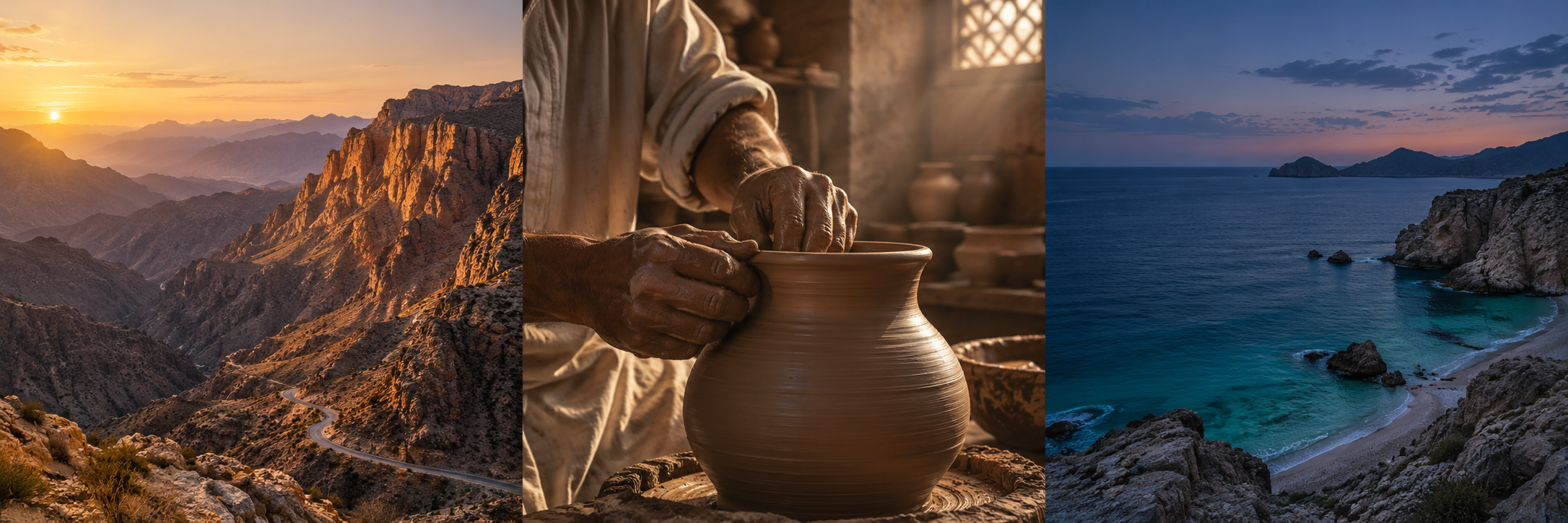
Make the place feel lived in.

Follow the work · Film and video production
The approved cut should be as clear as the call time.
Between light & land follows the treatment into the mountain shoot and then into version-specific review. Keep the client-facing output tied to its selected version and review state before sharing it as the intended delivery.
Which version is intended for the client handover?
A better way through the day
The next shoot starts with a shared plan.
Give the idea a shape.
A treatment, visual references and a shot list belong to the same story. Bring them into your project as Pages, Freeform boards and presentations, ready for the next conversation.
Open exampleFreeform
Visual direction
Warm stone. Tactile details. Quiet horizons.
Get the crew onto the same page.
Make the handover specific: who is coming, what they need, where to meet and when to be ready. Keep the call sheet, resources and assigned work beside the project.
Open exampleBetween light & land
Day 01 · Call sheet
14 October 2026 · Asia/Muscat
Location 01 · Mountain lookout

Keep every note with the right cut.
“The latest file” is not enough. Review the selected version, pin feedback to its moment and check its approval before delivery. A replacement cut starts a new review decision.
Select a time marker to inspect a sample frame and its feedback.
A new version needs its own review. Approval belongs to the selected version.
Film and video production
Try the workflow yourself.
Choose a step to open the relevant screen. Explore the example at your own pace; changes stay in this preview.
Illustrative data. Explore the workflow.
Film and video production
Meetings
The approved cut should be as clear as the call time.
Director / producer alignment
10:00 – 11:00 · Asia/Muscat
ConfirmedWorking note
Confirm the visual direction, the Day 01 schedule and the three final deliverables.
Sahil · Production checklist
Give the idea a shape.
Sahil · Production checklist
3Mariam · Complete
Salim · Complete
Noura · To do
Sahil · Destination film
Between light & land
Pre-production
01Production
02Post-production
03v2 Needs review
Sahil · Destination film
Make the place feel lived in.
Follow the light from the mountains to the workshop and out to the coast. Let people, texture and natural sound carry the story. Keep the pace unhurried; leave room for the place to speak.
Brand film · 60 seconds
For curious travellers who stay a little longer.
Two shoot days. Three locations. One clear visual language.
Outputs
60-second film + 3 social cutdowns
Between light & land
Visual direction
Warm stone. Tactile details. Quiet horizons.
Shot list
14 October 2026 · Asia/Muscat
Day 01 · Call sheet
Location 01 · Mountain lookout
Meet at the marked access point. Confirm transport and location permission before the shoot.
People
Mariam · Producer
Noura · Director
Salim · Camera
Hana · Sound
Between light & land
Warm stone. Tactile details. Quiet horizons.
01 / 03Between light & land
Budget & actuals
Fictional production costs, not a service price or quote.
Select a time marker to inspect a sample frame and its feedback.
Check the selected version before client handover.
A new version needs its own review. Approval belongs to the selected version.
Between light & land
People
Two shoot days. Three locations. One clear visual language.
Mariam · Producer
Between light & land
Noura · Director
Between light & land
Salim · Camera
Between light & land
Hana · Sound
Between light & land
Yousuf · Editor
Between light & land
Reem · Art direction
Between light & land
Between light & land
Outputs
60-second film + 3 social cutdowns
Select a time marker to inspect a sample frame and its feedback.
Check the selected version before client handover.
A new version needs its own review. Approval belongs to the selected version.
Film and video production
Before you choose your workflow
Can the brief, shoot preparation and review stay in one project?
Creative Production brings project work, people, resources, documents and media review together with project-scoped access. Use the work items that your production actually needs.
Does approval carry over to a replacement cut?
A new version needs its own review. Inspect the selected file, its feedback and its approval before treating it as the intended delivery.
Can a client review the intended work without seeing the whole project?
Use the permitted, scoped review-sharing workflow and inspect what the audience can see. Share the intended published material and revoke a share when it is no longer needed.
Film and video production
Bring the next production into a shared plan.
Prepare one project’s brief and shoot plan, then inspect the chosen cut and its review state before sharing.
14 days free. No credit card required.
Enabled apps, your plan and permissions determine which workflows are available.