



Hotels and accommodation
A clearer view of every stay.
Give reception a clear record of the room, the guest's booking and its payment, before the next arrival needs your attention.
Explore your workspace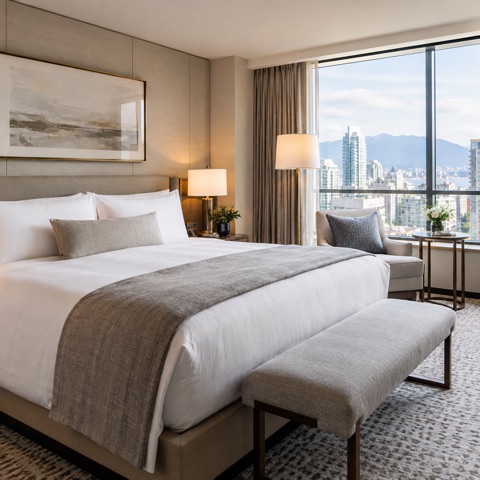
Reservation · #2048
Garden roomGarden room 104 · 2 guests
A stay with every detail in place
Follow the work · Bayt Al Bahr
Room 104. Two nights. One arrival record.
Layla has reserved Garden room 104 from 16 to 18 October. Reception needs the two-night charge, the room assignment and the outstanding payment before handing over the key. The meeting room is a separate hourly booking.
Is room 104 ready for Layla’s two-night stay?
Describe the stay and its rate.
Garden room 104 is 65 OMR per night. Layla’s 16–18 October reservation is two nights, so its room charge is 130 OMR. The hourly meeting room remains a different offer.
Explore the booking choices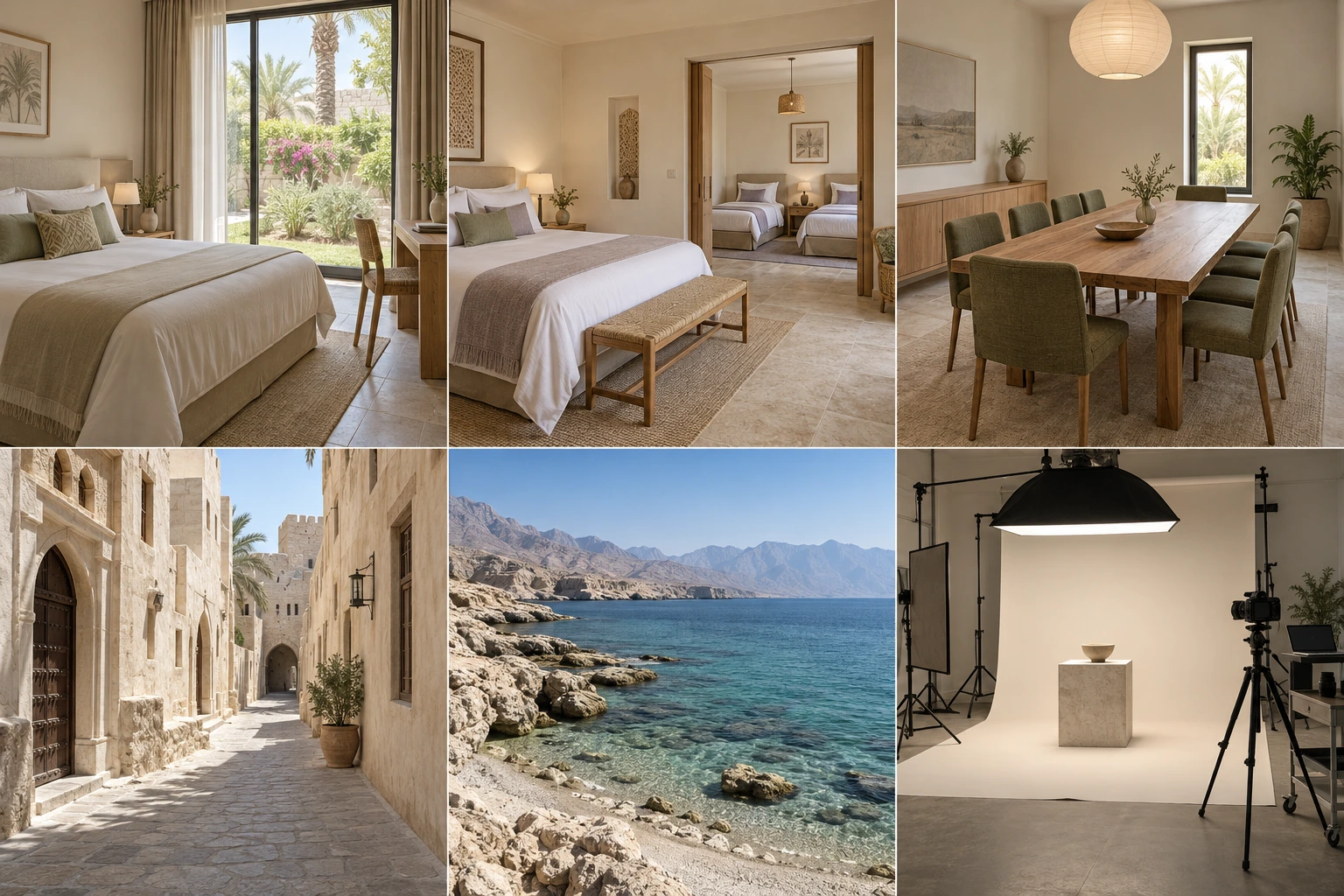
Bayt Al Bahr
Garden room
Garden room 104 · 2 guests
- Rate
- per night
- Dates
- 16 – 18 / 10 / 2026
Bayt Al Bahr
Family suite
Family suite 201 · 4 guests
- Rate
- per night
- Dates
- 16 – 20 / 10 / 2026
Bayt Al Bahr
Meeting room
Meeting room · 8 people
- Rate
- per hour
- Dates
- 09:00 – 11:00
Example snapshot · #2048
Keep room 104 with the dates.
The reservation names the accommodation unit, guest count and date range together. Open the same booking before changing its dates.
Check the reserved resource#2048
Garden room
Garden room 104 · 2 guests
- Customer
- Layla
- Assigned space or resource
- Garden room 104
- Selected dates
- 16 – 18 / 10 / 2026
- Rate
- per night
- Chargeable units
- 2
- Charge for this booking
- Payment status
- Pending payment
Example snapshot · #2048
Give reception both states.
The room is reserved while its payment is pending. Keep the 130 OMR charge and the arrival handover visible without treating the reservation as proof of payment.
Inspect booking and paymentGarden room
Garden room 104 · Layla
- Rate
- per night
- Chargeable units
- 2
- Charge for this booking
A reservation is not payment confirmation.
Example snapshot · #2048
Hotels and accommodation
Try the workflow yourself.
Choose a step to open the relevant screen. Explore the example at your own pace; changes stay in this preview.
Illustrative data. Explore the workflow.
Revenue
Estimated profit
Today’s bookings
Open actions
Revenue trend
October 2026 · recorded example period
Is room 104 ready for Layla’s two-night stay?
Recent activity
Garden room
Garden room 104 · 2 guests
Family suite
Family suite 201 · 4 guests
Meeting room
Meeting room · 8 people
Bookings
Manage appointments, customers and payments.
Service bookings
Your appointments, organised for the day.
Garden room 104 · 2 guests
#2048
Garden room
Garden room 104 · 2 guests
- Customer
- Layla
- Assigned space or resource
- Garden room 104
- Selected dates
- 16 – 18 / 10 / 2026
- Rate
- per night
- Chargeable units
- 2
- Charge for this booking
- Payment status
- Pending payment
Family suite 201 · 4 guests
#2048-2
Family suite
Family suite 201 · 4 guests
- Customer
- Reem
- Assigned space or resource
- Family suite 201
- Selected dates
- 16 – 20 / 10 / 2026
- Rate
- per night
- Chargeable units
- 4
- Charge for this booking
- Payment status
- Payment recorded
Meeting room · 8 people
#2048-3
Meeting room
Meeting room · 8 people
- Customer
- Ahmed
- Assigned space or resource
- Meeting room 01
- Selected dates
- 09:00 – 11:00
- Rate
- per hour
- Chargeable units
- 2
- Charge for this booking
- Payment status
- Payment recorded
No matching example bookings. Try another search or select 16 October.
Customer
Layla
Bookings
Total spent
Last service
Service history
Garden room
02 / 10 / 2026 · 1 ×
Family suite
09 / 10 / 2026 · 1 ×
Garden room
16 / 10 / 2026 · 1 ×
Team
Noura
Owner · all access
Mariam
Manager · assigned branch
Salim
Staff · permitted modules
Features depend on enabled apps, permissions and your plan.
Mariam's access
October 2026 · recorded example period
Estimated profit
Revenue
Expenses
Where the money went
Materials & supplies
Service team
Premises & operations
Room 104. Two nights. One arrival record.
3Mariam · To do
Salim · To do
Noura · To do
The storefront could not load. Open another screen and try again.
Open the example storefrontMAKSEB
Apps
Features depend on enabled apps, permissions and your plan.

Bookings
Available
Customers
Available
Accounting
Available
Website
AvailableCalendar
Available
Reminders
AvailableHotels and accommodation
Before you choose your workflow
Can a booking refer to a particular room and date range?
Use the accommodation unit and booking configuration for the stay. The sample follows room 104 for two nights; review the unit and dates before confirming a change.
Does a confirmed reservation mean the guest has paid?
No. Booking and payment states are separate. Reception should review the authoritative payment record, including an outstanding payment, before treating the stay as paid.
Does this example include a hotel channel manager?
It shows accommodation bookings, guest records and preparation work. External distribution, channel synchronisation and specialist hotel integrations are not demonstrated; check those requirements before adopting that workflow.
Hotels and accommodation
Start with one room and one complete reservation.
Configure one room, inspect a two-night reservation and prepare reception’s arrival handover.
14 days free. No credit card required.
Enabled apps, your plan and permissions determine which workflows are available.