



Toys and gaming
Less stock guesswork. More room for play.
Give a busy catalogue a clear structure, so staff can find the right item quickly and customers can understand their choices.
Explore your workspace
Family board game · 2–4 players
Creative building set · coloured blocks
Wireless controller · black
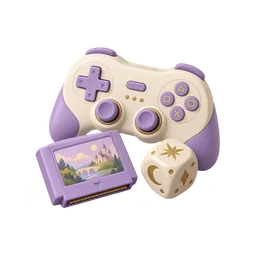
Ready for the next game night
Follow the work · Playroom
The last two copies of the weekend favourite.
Playroom has two copies of the family board game left before the weekend. A building set and a wireless controller have their own records. The counter should never mistake one box or quantity for another.
Can we sell the family game without promising a third copy?
Know which box the family chose.
The two-to-four-player board game is distinct from the building set and wireless controller. Its photograph, description and price stay together.
Explore the example rangeCatalogue · Playroom
Board game
Family board game · 2–4 players
- Rate
- per item
- Available quantity
- 2
Example snapshot · PL-0517
Sell one of the last two copies.
Build PL-0517 with the board game, check the quantity and complete the illustrative sale. The stock view then shows the remaining copy.
Try the sample basketPL-0517 · Faisal
Order PL-0517
Board game
12.000
Example snapshot · PL-0517
Restock the right record.
The game is low while the building set and controller have different quantities. Use the recorded stock to prepare the next purchasing decision.
Inspect recorded stockStock
1 · Low stockBoard game
2 · Family board game · 2–4 players
Building set
11 · Creative building set · coloured blocks
Game controller
6 · Wireless controller · black
Example snapshot · PL-0517
Toys and gaming
Try the workflow yourself.
Choose a step to open the relevant screen. Explore the example at your own pace; changes stay in this preview.
Illustrative data. Explore the workflow.
Revenue
Estimated profit
Sales
Open actions
Sales trend
16 October 2026 · recorded example day
Can we sell the family game without promising a third copy?
Recent activity
Board game
Family board game · 2–4 players
Building set
Creative building set · coloured blocks
Game controller
Wireless controller · black
PL-0517 · Faisal
Order PL-0517
Board game
12.000
Building set
18.000
Game controller
25.000
Delivery
Packed for collection
Faisal · Playroom
Packed for collectionWith the delivery team
Reem · Playroom
With the delivery teamHanded over
Ahmed · Playroom
Handed overChanges stay in this demonstration.
Stock
1 · Low stockBoard game
2 · Family board game · 2–4 players
Building set
11 · Creative building set · coloured blocks
Game controller
6 · Wireless controller · black
Customer
Faisal
Orders
Total spent
Last visit
Purchase history
Board game
02 / 10 / 2026 · 1 ×
Building set
09 / 10 / 2026 · 1 ×
Board game
16 / 10 / 2026 · 1 ×
Team
Noura
Owner · all access
Mariam
Manager · assigned branch
Salim
Staff · permitted modules
Features depend on enabled apps, permissions and your plan.
Mariam's access
16 October 2026 · recorded example day
Estimated profit
Revenue
Expenses
Where the money went
Stock purchasing
Team & studio
Packing & operations
The storefront could not load. Open another screen and try again.
Open the example storefrontMAKSEB
Apps
Features depend on enabled apps, permissions and your plan.

Customers
Available
Accounting
Available
Website
Available
Delivery
AvailableToys and gaming
Before you choose your workflow
Can games, building sets and accessories be organised separately?
Yes. Use clear catalogue groupings and exact item names. The example keeps the family game, building set and controller distinct at checkout and in stock.
What should staff check in the basket?
Match the item and quantity to the customer’s choice before recording the sale. The stock change should then be visible against those same product records.
How can we prepare the next supplier order?
Review recorded sales and remaining quantities together. Use that context to decide what needs attention; the example does not automatically place a supplier order.
Toys and gaming
Organise the range before the next busy weekend.
Separate the range, complete one board-game sale and inspect the remaining copies before restocking.
14 days free. No credit card required.
Enabled apps, your plan and permissions determine which workflows are available.